List Users Disabled
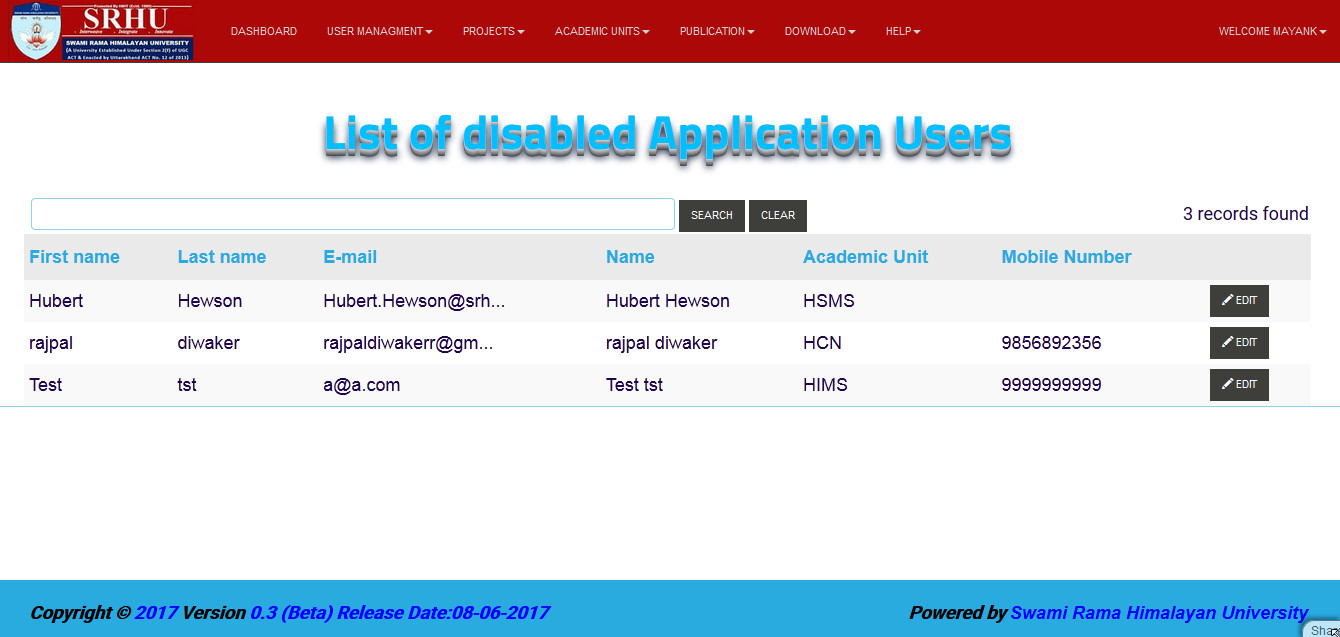
In this mode we can see the screen of Disabled Users or we can search by name of user.
we can use the following steps to open the list of all disabled users
step 1. - Open the application and logged in
step 2. - Dashboard will open
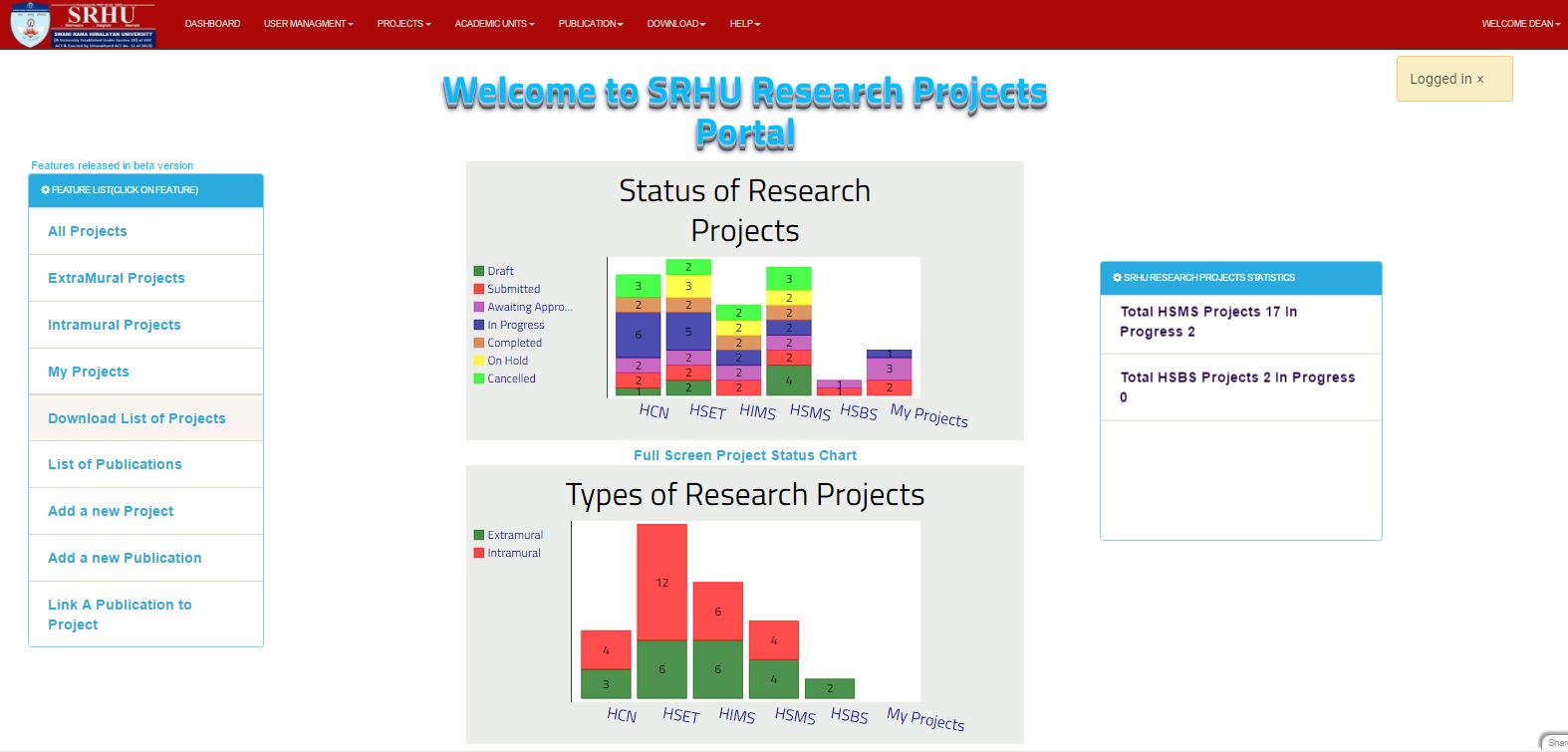
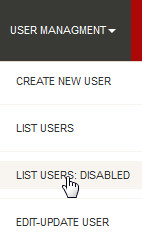
step 3. - Then click on the USER MANAGEMENT at the header of application, the drop down menu will open and you have to click on LIST USER: DISABLE
step 4. - So List of all disable user will displayed
Note
you can directoly search a specific user by using search bar
